Grounded in your positioning
Your website and brief shape the hook, benefit, feature order, and call to action instead of forcing the product into generic stock footage.
 Framedeo
SaaS demo video maker
Turn your SaaS website, dashboard screens, and launch brief into a concise product demo. Framedeo writes, voices, animates, and scores the film while keeping every scene editable.
Demo
Why Framedeo
SaaS products often solve a complex problem behind a simple interface. Framedeo gives your demo enough context to make the workflow useful without turning it into a long tutorial.
Your website and brief shape the hook, benefit, feature order, and call to action instead of forcing the product into generic stock footage.
Present UI screenshots and clips with readable pacing, focused composition, cursor choreography, and supporting copy.
Adapt the same editable SaaS demo for a homepage, sales follow-up, feature launch, onboarding message, or social post.
Examples
Different products, different goals. Each one started with a website link and a few screenshots. Hover or click a video to play it, with sound.
Templates
Each template is a finished film: its beats, its cuts and its motion. Pick one when you create a project and your product fills it — your words, your logo, your screenshots. Every preview here is the template itself, playing.
Prefer no template? The AI plans the beats from your product instead.
Without and with Framedeo
The usual way means a budget, a designer and a calendar. Here is the same video, done the other way.
| One product video | Without Framedeo | With Framedeo |
|---|---|---|
| Price for one video | $2,000 to $8,000 to hire a motion designer | From $29 per month, videos included in your plan |
| First version ready in | 6 to 10 weeks of briefs, drafts and feedback | A few minutes, right after you add your product |
| If you make it yourself | 6 to 12 months to learn After Effects, plus $23 to $60 per month for the software | No editing experience, nothing to install |
| Voice over and music | A voice actor to book and a music licence to buy | Both included, or upload your own |
| Changing one line | Another round of revisions and another invoice | Open the editor and change it yourself |
| Making a second video | Start from zero and pay the full price again | Copy the project and swap the content |
Prices and timelines above are typical market rates for one 60 second product video.
How it works
You already know every step. Framedeo simply does them in order.
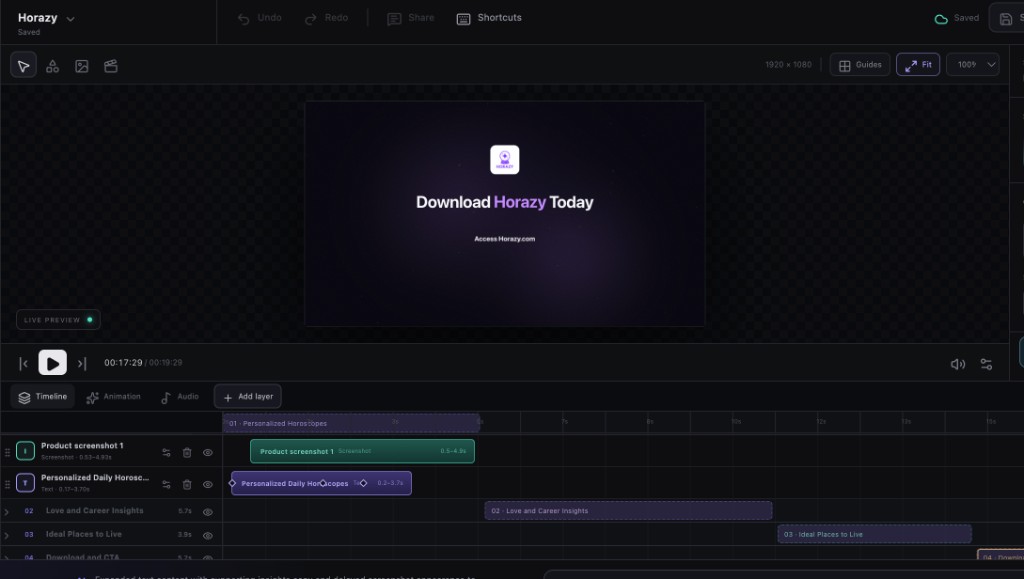
MCP for AI agents
Connect Framedeo to Claude, Gemini, OpenCode or ZeroClaw. One request can inspect a product page, use your real media, choose the voice and music, generate and edit the scenes, then return the finished download.
$ Turn https://acme.com into a 30-second launch film.
Use the attached logo and dashboard screenshot, choose a clean
technical template, write a calm voice-over, add minimal music,
generate the motion, tighten scene three, then export H.264 at
1080p and give me the download link.claude mcp add --transport http --header "Authorization: Bearer $FRAMEDEO_API_TOKEN" framedeo https://framedeo.com/mcpgemini mcp add --transport http --header "Authorization: Bearer $FRAMEDEO_API_TOKEN" framedeo https://framedeo.com/mcpopencode mcp add framedeo -- node /path/to/framedeo/apps/mcp/dist/stdio.jszeroclaw config set mcp.servers.framedeo.url https://framedeo.com/mcpFeatures
Three parts: what goes in the video, what it sounds like, and what you get out.
Pricing
Create an account and build your first video for free. Choose a plan when you want the MP4 file and more than one project a month.
$29/month
Start shipping product videos with AI direction and editable scenes.
$99/month
The working studio for teams that ship launch videos every week.
$199/month
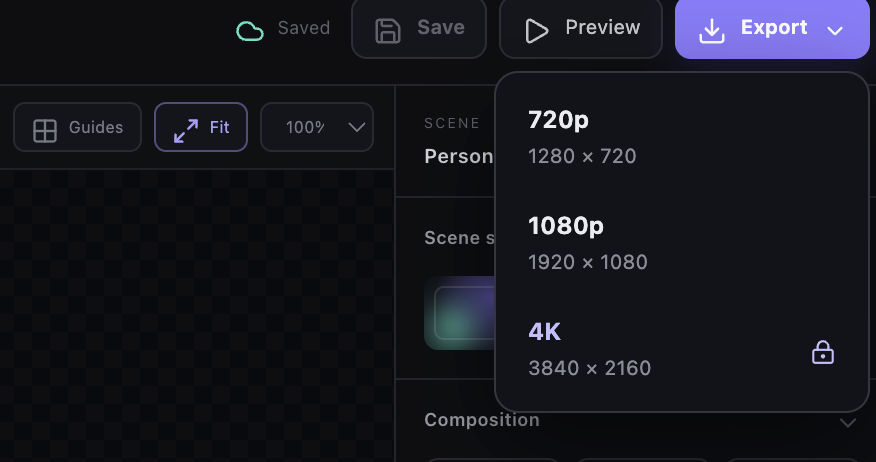
4K delivery, more seats, and the queue reserved for client work.
Questions
Start with the customer problem, show one important workflow, make the outcome visible, and close with the next action you want the viewer to take.
Yes. Add screenshots or clips from the product along with your logo, website, and creative direction.
Yes. Replace the affected screenshot or clip, adjust its scene, and export an updated version from the same project.
Add your website and product screens. Framedeo will turn them into an editable demo.
Start free